
The AI operating systemfor real estate.
Market. Sell. Build. Procure. One connected business.
Real estate runs ondisconnected tools.
Leads in WhatsApp. Projects in spreadsheets. Quotes in PDFs. Every handoff is a place where revenue and time leak out. Here is how each part of the business breaks, and how each OS fixes it.
Start with MarketOS- WhatsAppEnquiries wait unanswered
- ExcelInventory in many versions
- EmailQuotes buried in threads
- PhoneMissed calls, no callback
- PDFQuotes in different formats
- Sticky notesFollow-ups on paper
- 1The problem
- 2How it is solved
- 3What changes
Every property starts
from a blank page.
AI MARKETING & DEMAND GENERATIONPriya · Marketing HeadWillow Park launches on Monday. The posts, creatives and landing page are all still to build.
Captions, creatives, landing pages and posts are built by hand for every new property, and nobody can say which campaign brought the buyer who booked.
- 4 daysto launch one property
- 4 toolsnone connected
- 0leads traced to an ad
- Day 1Write the captions by handWord · Rewritten for every property
- Day 2Brief the designer, then waitCanva · Creatives come back days later
- Day 3Post on each channel, one by oneSocial media · Facebook, Instagram, LinkedIn
- Day 4Try to find which ad workedAnalytics · The lead’s source is already lost
Then do it all again for the next property.
One property record.
A complete campaign.
Priya · Marketing HeadPriya enters the property once. The campaign is ready for her to review.
- 01
Property data
Enter the property once.

- 3 BHK
- ₹1.2 Cr
- Ahmedabad
- 02
AI content
Captions, brochure and listing copy drafted.
- Social caption
- Listing copy
- Brochure
- 03
Creative
Post and banner creatives built from the record.
ReadyReview & publish - 04
Campaign
Published across your channels.
- 05
Lead
Every enquiry keeps its source.
InstagramEnquiry source

- One property record inPost, creative and landing page ready
- Published to every channelFacebook · Instagram · LinkedIn · Google
- Every lead keeps its sourceSee which campaign brought the booking
- Campaigns go out fasterOne property record feeds every channel.
- Nothing is rebuilt from scratchThe next property reuses the same flow.
- Every lead has a sourceSee which campaign brought the booking.
- 1The problem
- 2How it is solved
- 3What changes
Leads
go cold.
AI CRM & REVENUE AUTOMATIONNeha · Sales AdvisorThirty enquiries came in overnight. She has no way to tell which buyer is ready.
Enquiries land in WhatsApp, calls and portals. They wait while the team catches up, every lead looks the same in a spreadsheet, and the buyer moves on.
- 2 daysbefore a reply
- 4 placesenquiries land
- 0owners assigned
- Day 1A buyer asks on WhatsAppWhatsApp · “Is the 3 BHK still available?”
- Day 1Another enquiry lands by emailEmail · A reply is drafted, never sent
- Day 1A call is missed after hoursPhone · No callback is logged
- Day 3Leads are copied into a sheetExcel · Nobody knows who owns which buyer
Nobody owns the next step.
Every lead gets an owner
in seconds.
Neha · Sales AdvisorEvery enquiry is already scored and assigned. Neha calls the hot ones first.
- 01
Enquiry captured
Calls, chats and portals in one queue.
- 02
AI conversation
WhatsApp and voice qualify the buyer.
- 3 BHK
- East-facing
- ₹1.6 Cr
- 03
Lead score
Know who is ready, and why.
92Hot lead - 04
Property match
The right unit, suggested.
94%Tower B · 1604 - 05
Visit & booking
Advisor briefed, booking recorded.
Sat 11:00Site visit

- Lead captured automaticallyAnand Sharma · 3 BHK · East-facing
- AI replied in 12 secondsScore 92 · Hot lead
- Assigned to NehaSite visit booked · Saturday 11:00
- Every enquiry has an ownerAnd a clear next step.
- Advisors walk in preparedThe buyer's context travels with the lead.
- One record to the bookingNo retyping between tools.
- 1The problem
- 2How it is solved
- 3What changes
Nobody trusts
the update.
PROJECTS, PROPERTIES & OPERATIONSArjun · Project DirectorManagement asks where Tower B stands. He opens four files and calls the site.
Inventory sits in one file, milestones in another, contractor updates in a chat group. Management waits for a weekly report to see where each project stands.
- 1 weekfor one status report
- 4 sourcesto check by hand
- 3versions of inventory
- MonOpen the inventory sheetExcel · Which of three versions is current?
- TueScroll the site group for updatesWhatsApp · Progress buried in 214 messages
- WedCall the site to confirm a unitPhone · “Is 1604 sold?”
- FriSend the weekly reportEmail · Management sees it on Friday
Everyone has a different version of the truth.
One live view of every
project and unit.
Arjun · Project DirectorArjun opens one live view of the project, the unit and the milestone.
- 01
Project
Every project in one portfolio.
- Willow Park
- 3 towers
- 180 units
- 02
Tower & unit
Inventory linked to the customer.
- 4 booked
- 2 held
- 6 available
- 03
Milestones
Construction progress, visible to everyone.
72%Floor slab work - 04
Teams
Staff, contractors and vendors linked.
- Staff
- Contractors
- Suppliers
- 05
Management view
The whole portfolio on one screen.
12Projects

- Tower B · Unit 1604Booked · linked to Riya Mehta
- Floor slab work · 72%Milestone visible to the whole team
- 4 booked · 2 held · 6 availableOne live inventory, no spreadsheet
- One version of the truthManagement, site and sales see the same project.
- Units, milestones and teams linkedTied to the customer commitment.
- No more weekly report chaseProgress is visible as it happens.
- 1The problem
- 2How it is solved
- 3What changes
Quotes need
chasing.
AI PROCUREMENT & SUPPLIER INTELLIGENCERahul · Procurement HeadThe site needs 1,000 bags of cement by Friday. Three quotes arrive in three formats.
Each material needs RFQs sent, replies chased and quotations compared line by line. Prices arrive as PDFs, emails and WhatsApp messages, then get retyped into a spreadsheet.
- 3 formatsfor three quotes
- 1 dayspent retyping
- 0side-by-side view
- MonAsk each supplier for a quoteWhatsApp · Then chase every reply
- TueSupplier A replies with a PDFPDF · The price is inside an attachment
- WedSupplier C sends terms by emailEmail · Hidden in a long thread
- ThuRetype everything into a sheetExcel · Still incomplete on Thursday
Chasing and retyping, before any decision.
Quotes compared.
You approve.
Rahul · Procurement HeadAI reads and compares the quotes. Rahul reviews one recommendation and approves.
- 01
Requirement
Your team states what the site needs.
1,000Cement bags - 02
RFQ sent
AI asks suppliers and follows up.
- 03
Quotes read
Any format, extracted and normalised.
- 04
AI comparison
Price, delivery and terms, side by side.
Supplier ARecommended - 05
Approval
You approve, then the PO goes out.
₹3,75,000Draft purchase order

- 3 quotes extracted and comparedPrice, delivery and payment terms side by side
- Supplier A recommended₹375 / bag · 12 Oct · 30-day credit
- Your team approvesThen the PO goes out
- No more retyping quotesEvery format becomes comparable data.
- Decisions on factsPrice, delivery and terms side by side.
- People stay in controlNothing is ordered without your approval.
- 1The problem
- 2How it is solved
- 3What changes
Revisions
get missed.
AI ENGINEERING, DRAWINGS & 3DMeera · Engineering HeadA new drawing revision arrives by email. She compares it with the last one by eye.
Every revision has to be compared with the last, checked against rules and passed between teams. Buyers, meanwhile, are asked to imagine a home from a flat plan.
- By eyerevision checks
- 4 handoffsbetween teams
- Lateissues found on site
- Day 1A new revision arrives by emailEmail · FloorPlan_rev3_FINAL2.pdf
- Day 2Compare and check it by handChecklist · Rules checked from memory
- Week 3The site finds a mismatchWhatsApp · “This doesn’t match the drawing.”
- SalesThe buyer gets a flat floor planPDF · Hard to picture the home
Issues surface late, on site.
AI assists the review.
The engineer decides.
Meera · Engineering HeadDesignOS highlights what changed. Meera reviews the flags and decides.
- 01
Upload drawings
Plans and versions kept together.
- Floor plans
- Revisions
- 02
AI analysis
Drawings read and analysed.
- Rooms
- Dimensions
- 03
Revision compare
Changes between versions highlighted.
Rev 04vs Rev 03 - 04
Issues flagged
Potential issues sent for review.
FlaggedFor engineer review - 05
Engineer review
The engineer approves every change.
ApprovedBy your engineer - 06
3D experience
Buyers step into the home.
- 3D viewer
- Digital twin
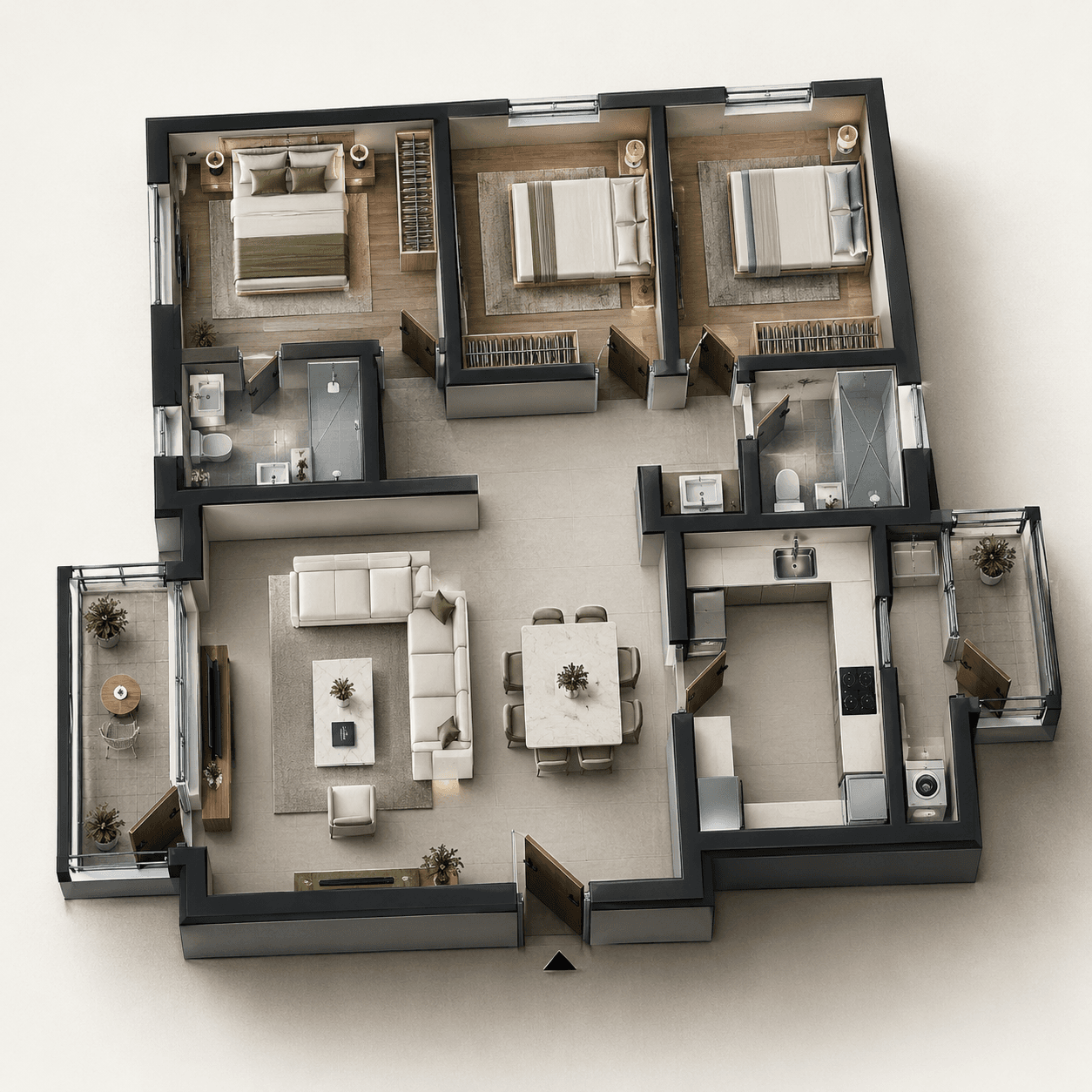
- Rev 04 compared with Rev 03Changes highlighted for the engineer
- Potential issue flaggedSent for engineer review
- Explore the unit in 3DBuyers walk through before it is built
- Revisions never get missedEvery change is compared and highlighted.
- Engineers stay in controlAI flags. The engineer decides.
- Buyers see the homeExplore in 3D before it is built.
- 1The problem
- 2How it is solved
- 3What changes
Cash flow
is unclear.
FINANCE, COLLECTIONS & COMMERCIAL INTELLIGENCEKaran · Finance HeadThe board wants each project’s cash position today. It takes a week of spreadsheets.
Project costs sit in one sheet, collections in another report, and the financial picture of each project is pieced together by hand.
- 1 weekto answer the board
- 3 systemsnot linked
- 0project-level view
- MonThe board asks for the cash positionEmail · Per project, by today
- TueExport the data from the ERPERP · Not linked to projects
- WedPull collections separatelyAccounting · Another report, another format
- FriStitch it together in a sheetExcel · Ready a week later
No single financial view of a project.
Every project’s finances.
One clear picture.
Karan · Finance HeadPlanned: one financial view per project, read from the systems he already runs.
- 01
Your accounting & ERP
Read, not replaced.
- 02
Project costs
Budget against actuals, per project.
- Budget
- Costs
- 03
Collections
Customer payments and receivables.
- Payments
- Receivables
- 04
Cash-flow view
A forecast tied to each project.
PlannedOn the roadmap

- Connected to your systemsAccounting and ERP data, read in place
- Costs and collections togetherPer project, in one view
- Cash-flow forecastPlanned · on the roadmap
- One financial view per projectCosts, collections and cash flow together.
- Reads what you already runNo change to your accounting.
- On the roadmapTalk to us about your finance systems today.
Don’t replace your systems.
Connect them.
Already using any of these? No problem. Real Estate OS adds AI-powered workflows on top.
Example connection. Integration scope is confirmed for your CRM and available APIs.
- 01Connect
Link your CRM, ERP and sheets.
- 02Enhance
Add AI to what you run.
- 03Automate
AI handles the routine.
- 04Consolidate
Move more over, at your pace.
From your property data
to your next booking.
Follow one property from campaign to delivery. Select a step to see what moves forward.
₹1.2 Cr · 1,200 sq ft · Possession 2028

- Property3 BHK · ₹1.2 Cr
- Campaign—
- Buyer—
- Score—
- Unit—
- Booking—
- Project—
- Materials—
Property data: 3 BHK · Ahmedabadjust now
From a WhatsApp reply
to a supplier decision.
One material requirement. Three supplier quotes. Your team makes the final call.
One brief.
Every selected supplier.
- Material
- OPC 53 cement
- Quantity
- 1,000 bags
- Deliver to
- Willow Park site
- Deadline
- 12 October
The same requirement is sent to all three suppliers.
Built from proven AI & engineering.
Customized for real estate.
Reusable, proven capabilities, assembled into workflows purpose-built for real estate.
- MarketOS
- SalesOS
- ProjectOS
- ProcureOS
- DesignOS
- FinanceOS
- Campaigns & content
- Leads & bookings
- Projects & units
- RFQs & suppliers
- Drawings & 3D
- Costs & collections
- AI & agents
- Automation
- Document intelligence
- Computer vision
- 3D
- Cloud
- Security
- Integrations
Proven components, reused. Faster to roll out, built to last.
Start with one problem.
Grow into the platform.
No long ERP rollout. Pick what hurts most today.
- 01 / LAND
One product
- ProcureOS
Solve the first problem.
- 02 / EXPAND
Growth
- ProcureOS
- SalesOS
Connect the next team.
- 03 / PLATFORM
Real Estate OS
- MarketOS
- SalesOS
- ProjectOS
- ProcureOS
- DesignOS
- FinanceOS (Roadmap)
Every relevant product, one core.
Enterprise: custom integrations · private deployment · custom AI workflows
Start with one problem.
Keep what you already use.
What makes Real Estate OS different, and who each product is for.
- 01AI-nativeAgents do the work.
- 02ModularBuy one. Add more.
- 03Integration-firstKeep your systems.
- 04Reusable intelligenceProven, not rebuilt.
- 05Real-estate workflowsBuilt for developers.
Find the right OS for your team
Start where you are.
Scale as you grow.
Works with your existing CRM, ERP and business systems.
- Start with one product
- Lead with SalesOS or ProcureOS
- People approve every decision