
Calls, chats and portals in different places.
Leads wait while someone copies their details into a sheet.
Lost between toolsEvery enquiry lands in one SalesOS recordDon’t replace your CRM. SalesOS adds AI that qualifies, scores, follows up and calls, so property enquiries become conversations, site visits and bookings. Use the SalesOS CRM, or connect the one you already have.


Hi Riya! Would you like to visit Willow Park this Saturday?
10:24 AM
Enquiries arrive by call, chat and portal. Every lead looks the same in a spreadsheet. What the buyer said on the phone rarely reaches the next conversation.
Leads wait while someone copies their details into a sheet.
Lost between toolsEvery enquiry lands in one SalesOS recordTeams call in order of arrival, not in order of intent.
Lost between toolsLead scoring shows who is ready, and whyAdvisors walk into site visits without the context.
Lost between toolsTranscripts and Sales Coach briefs stay with the leadCapture, understand, prioritise and follow up. Here’s how SalesOS works.
Two ways to start. One AI-powered journey from property enquiry to booking.
Import the leads you already have. Capture enquiries from the website we provide. Discover new prospects from public web sources. Keep each source, requirement and owner together in SalesOS.
Search, social or a property listing
Homes, location and project information
A form, a message or a phone call
Connect the enquiry to its next outcome
Already have leads? Bring your existing records into Real Estate OS and build on what your team already knows.
Example sources and sample leads shown. Channel connections and routing are configured for your business.
AI calling bots and WhatsApp bots handle configured outreach, buyer questions and follow-ups. They capture requirements and update the CRM, so your team can focus on the buyers who need a person.
The calling bot and WhatsApp bot use your business context to engage buyers. Requirements and follow-ups return to the same CRM record.
Website, discovery or your list
Captures needs and buying intent
Answers questions and shares details
Conversation, requirements, next action
A clear handoff to a person. Your advisor confirms availability, handles exceptions and agrees the next step.
Calls, preferences and purchase timelines become signals your team can act on. Hot, Warm and Cold keep the next action clear.
Sample scoring signals for sales review.
Prioritize the strongest signals.
Keep the rest in automated follow-up.
Timeline stated, site visit accepted
Asked for payment schedule twice
Comparing two projects, revisit likely
Budget confirmed, spouse approval pending
Enquired on loan eligibility only
Early browsing, no timeline given
Price enquiry, did not re-engage
Recorded. Transcribed. Summarized. Stored in the CRM. Every interaction makes the next conversation more informed.

The floor. The facing. The objection.
Before saying hello.
AI AGENT → CRM → SALES EXECUTIVE
Site visit: Today · 4:30 PM
SALES COACH BRIEF / ROHIT MEHTARate per square foot above the competing project.
Possession timeline and clubhouse completion.
Lead with the east-facing, higher-floor option. Discuss the school zone, parking and payment options, then address pricing and possession timelines directly.
Match buyer requirements to project inventory. Review why each shortlisted home fits before sharing it.
Whitefield, east-facing, within budget and inside the school zone.
From an automatically updated record to an informed sales team. The same customer context travels through the system.
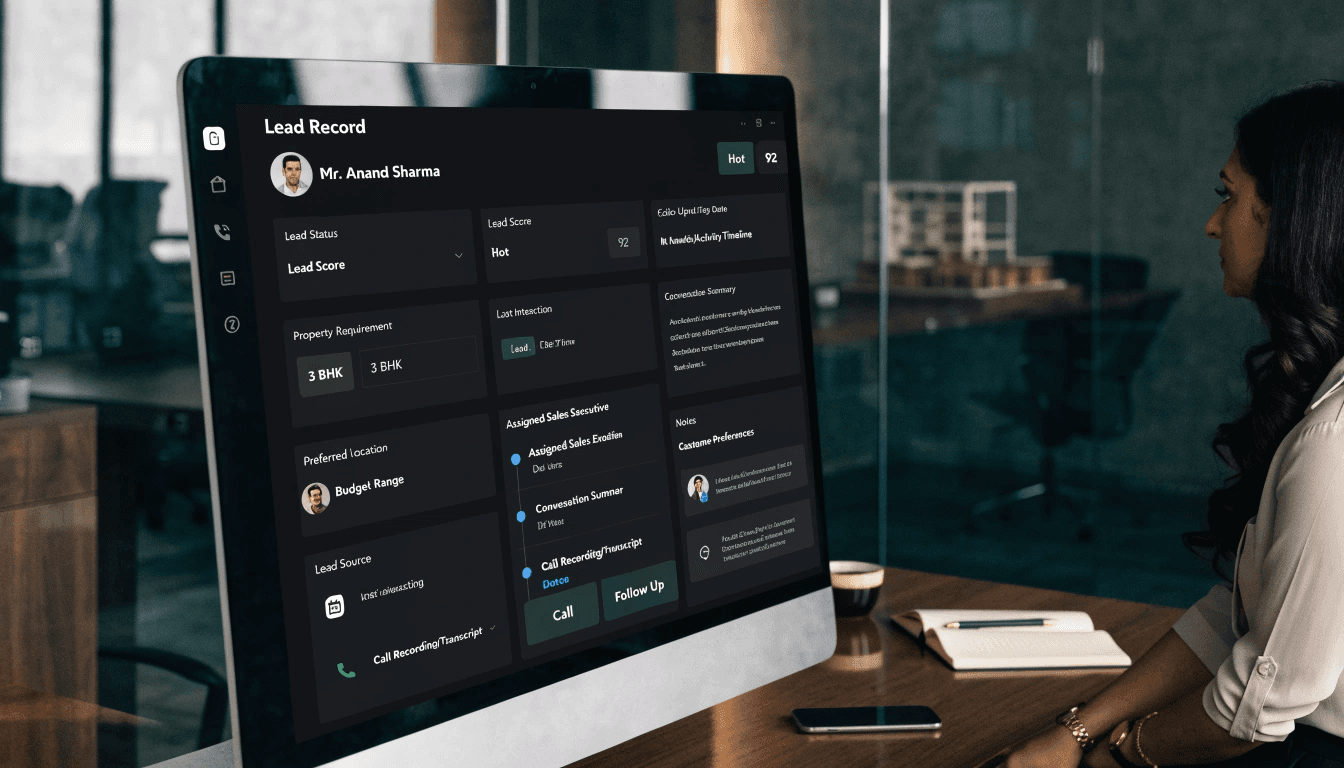
Requirements, purpose, timeline and stage stay with the customer. Your existing lead-record mockup shows Mr. Anand Sharma.
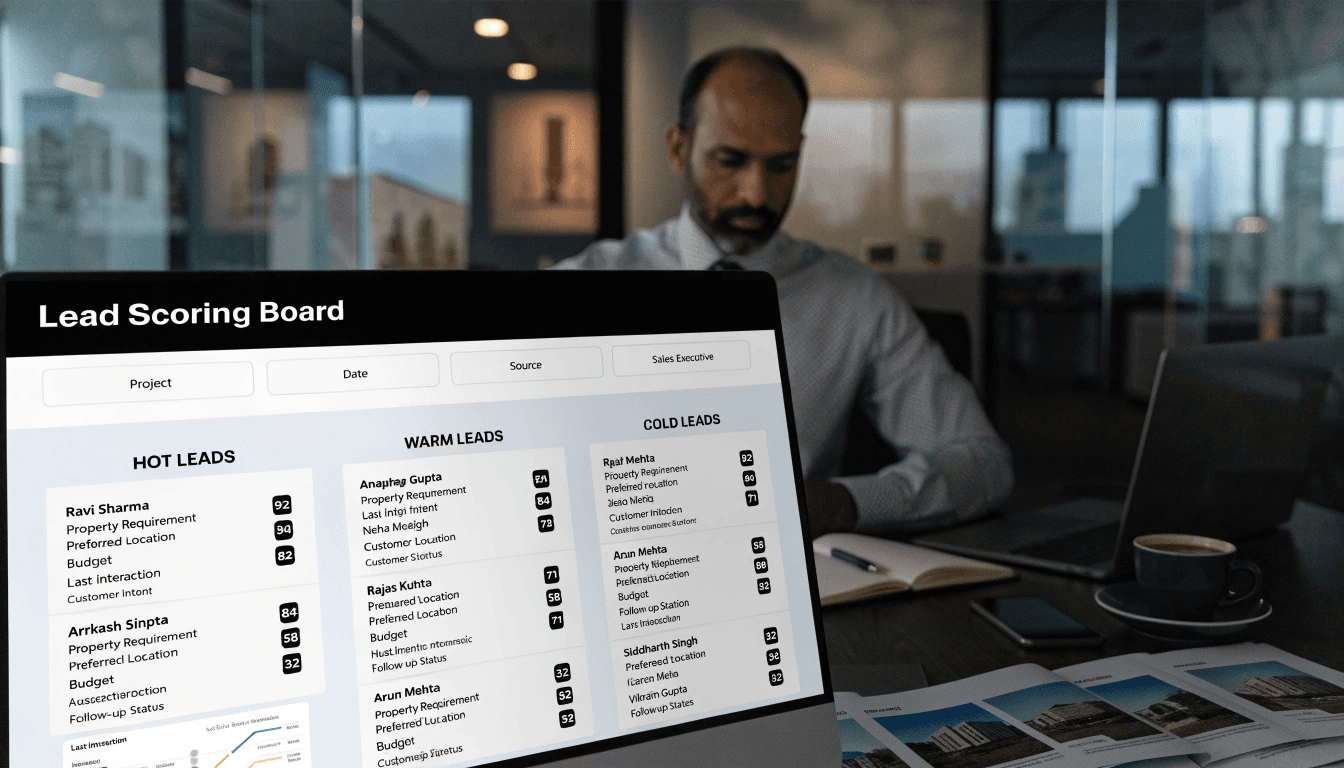
Hot, Warm and Cold lead rankings bring intent into focus, with the reason behind every score.
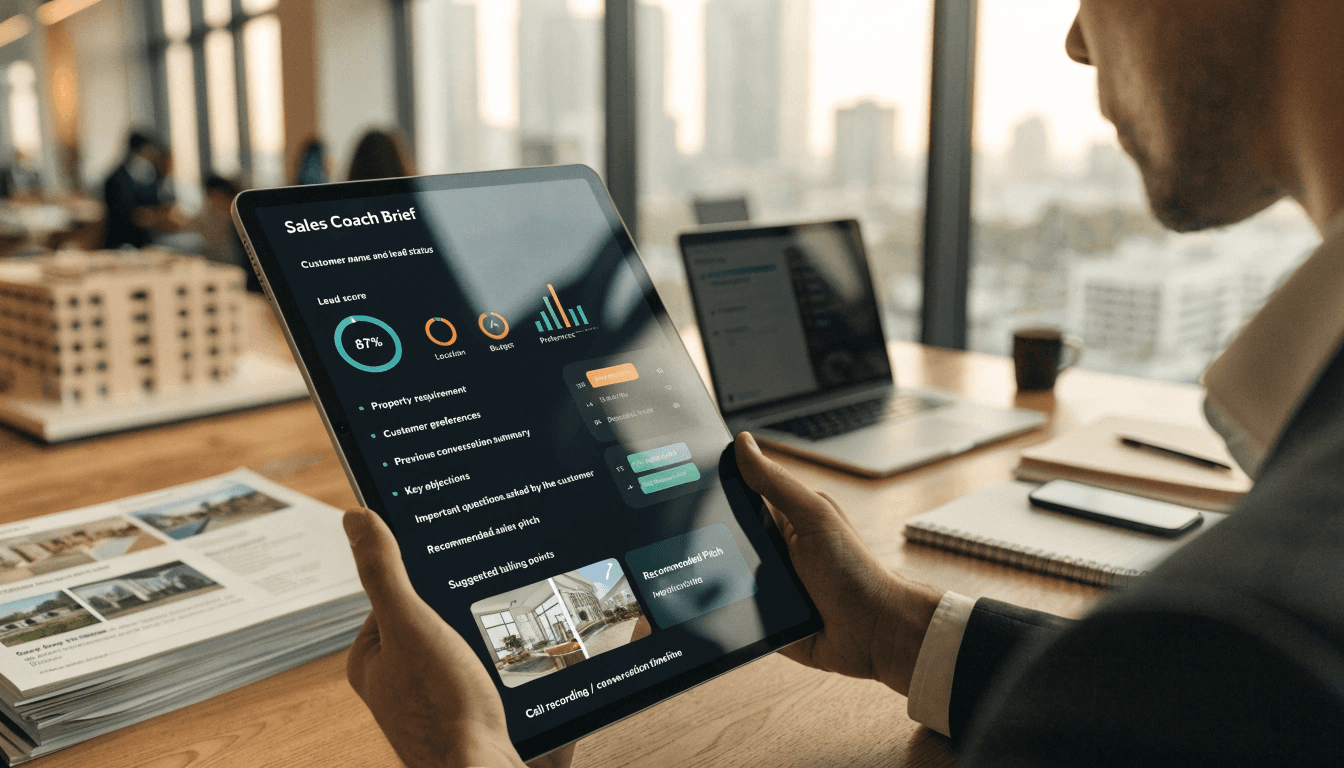
Preferences, objections and a recommended pitch, assembled before the next conversation.

Business answers grounded in CRM, conversations, inventory and market context.
See where buyers are, where they stall and which sources bring the ones who book. The funnel updates as conversations move.
Most buyers drop between site visit and negotiation. Sales Coach briefs target the top objections before the next visit.
Illustrative pipeline figures for a sample project.
An intelligence layer across CRM records, call transcripts, inventory and market data. Ask in plain language. See where the answer comes from.
THE EXISTING AI COPILOT CONSOLEConnecting the buyer, conversation and market context behind the question.
Follow one buyer from the first enquiry to the customer portal. Each step adds to the same SalesOS record.
Illustrative buyer record. Each step is part of one SalesOS customer history.

From the first enquiry to the booking and beyond.
Every buyer. Every conversation. One record.